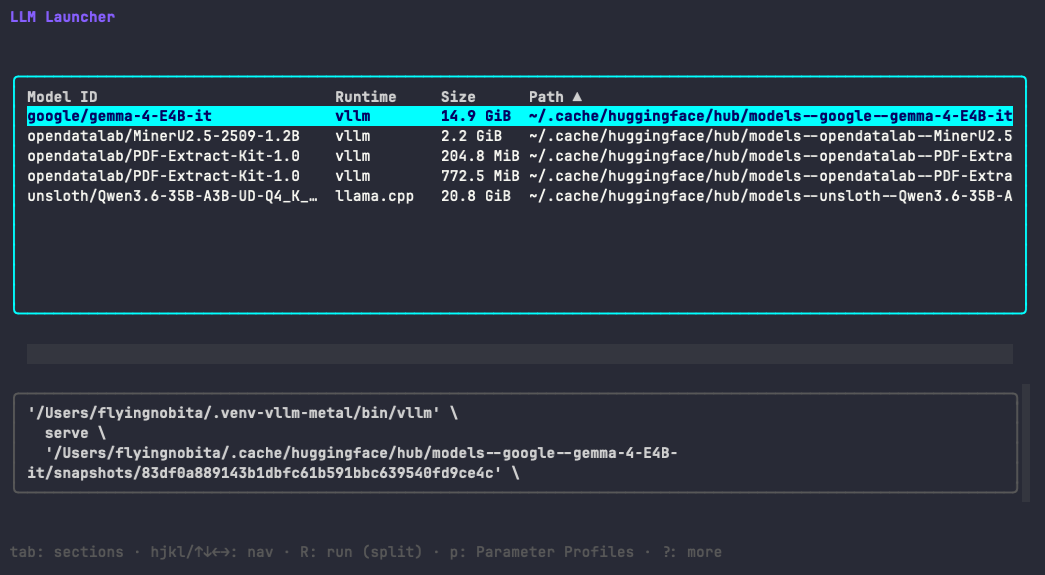
llama-server flags from shell history.
llml finds your local models, detects your runtimes, and launches them with a saved profile.
Pick a model, pick a profile, press R.
llml finds every local model — GGUF files, safetensors, Hugging Face cache — and lists the runtimes on your machine.
Choose a model, a runtime, and a saved profile. The generated launch command is shown before execution — no surprises.
Press R. One keypress, and the right command runs against the right model on the right backend.
Import the exact config someone already tuned for your model and hardware — one command, it runs. Every profile is a TOML file with args, env vars, and hardware metadata. The catalog matches them to your machine.
Profiles are starting points, not guarantees. Hardware differs — expect to adapt. But starting from someone's working config beats starting from an empty terminal.
Find a profile for your machine →16-18 GB total memory (RAM + VRAM) for 4-bit.
16-18 GB total memory (RAM + VRAM) for 4-bit.
17-20 GB total memory (RAM + VRAM) for 4-bit.
4 GB total memory for 4-bit.
5.
Not a list of what fits. Not per-backend defaults. The exact config someone tuned for your model and hardware — imported and run with one command.
Profiles are TOML files with a documented schema. They live in GitHub, not a service. The catalog is a thin index over real source files.
An import is one shell command. The same TOML produces the same args and env on every machine — no hidden web of preferences.
Share the args your machine and model converged on. PR-only. No accounts.